Tightening the B900 correctly
Preset settings allow the B900 to be adjusted to the task at hand and the power required.
For all activities performed with an exoskeleton, it is crucial that the support force is applied at the right time and to the right extent. Thanks to presets, the force can be flexibly adapted to individual requirements and work processes.
The four presets at a glance:
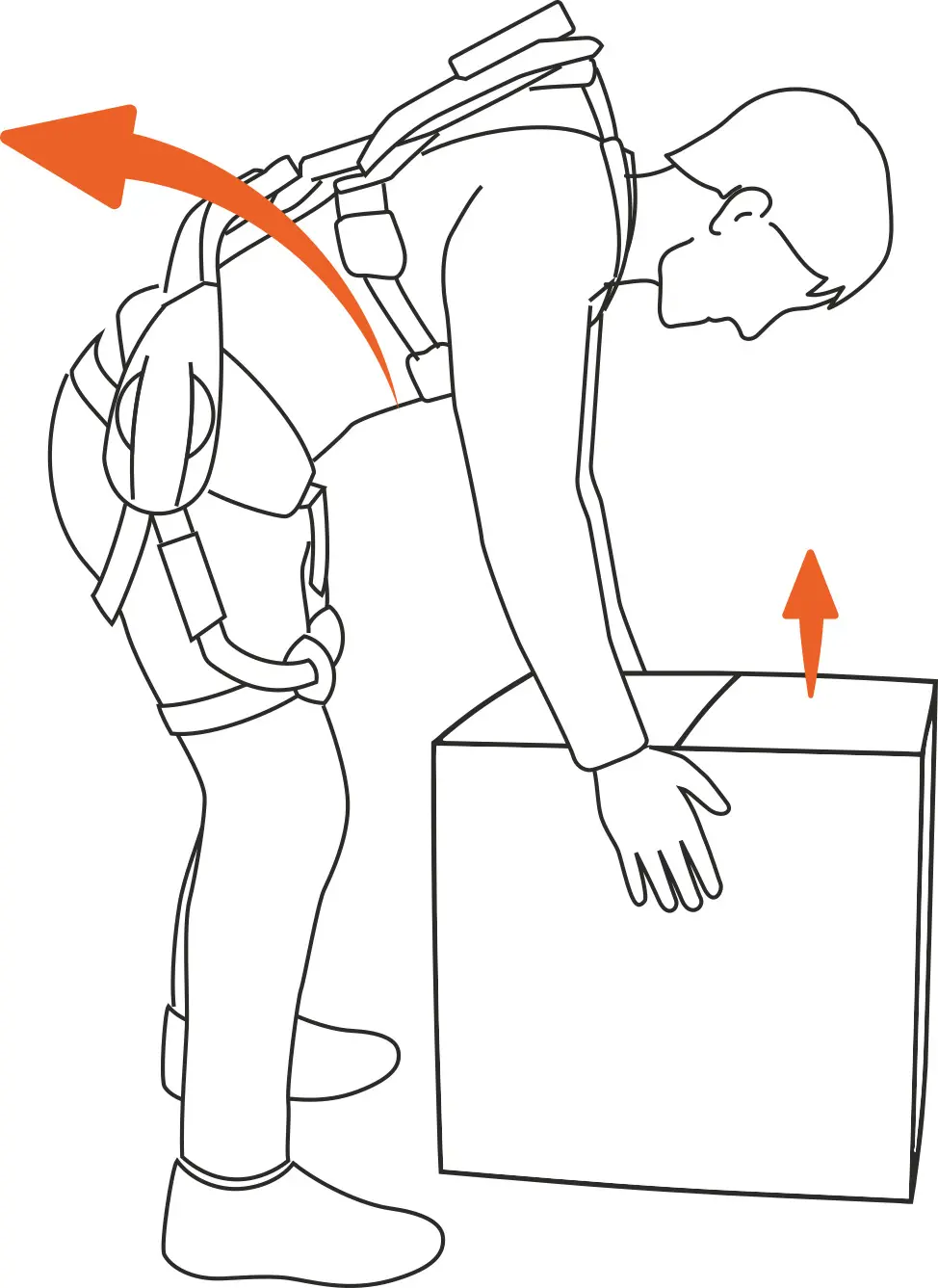
Preset A
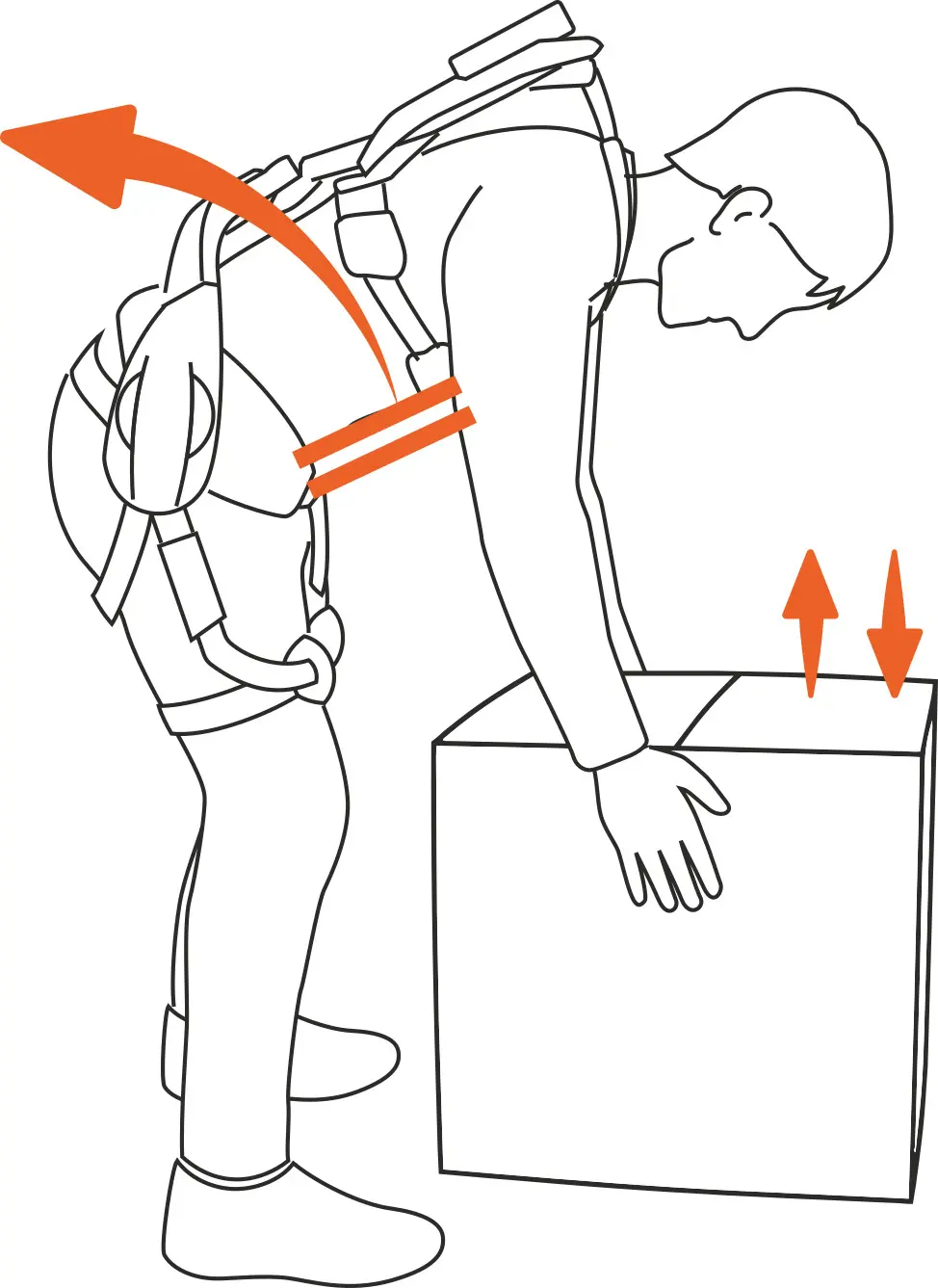
Preset B
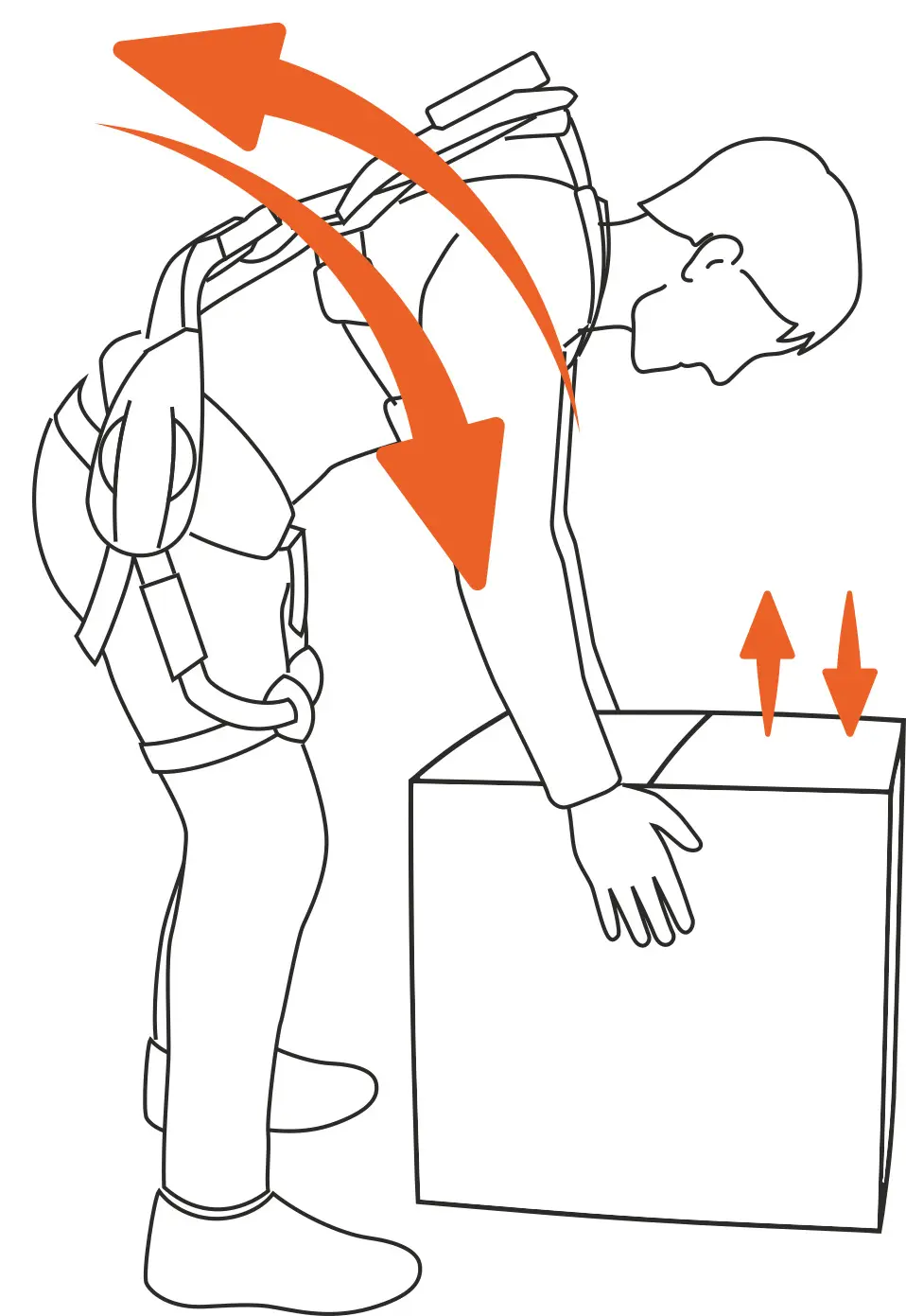
Preset C
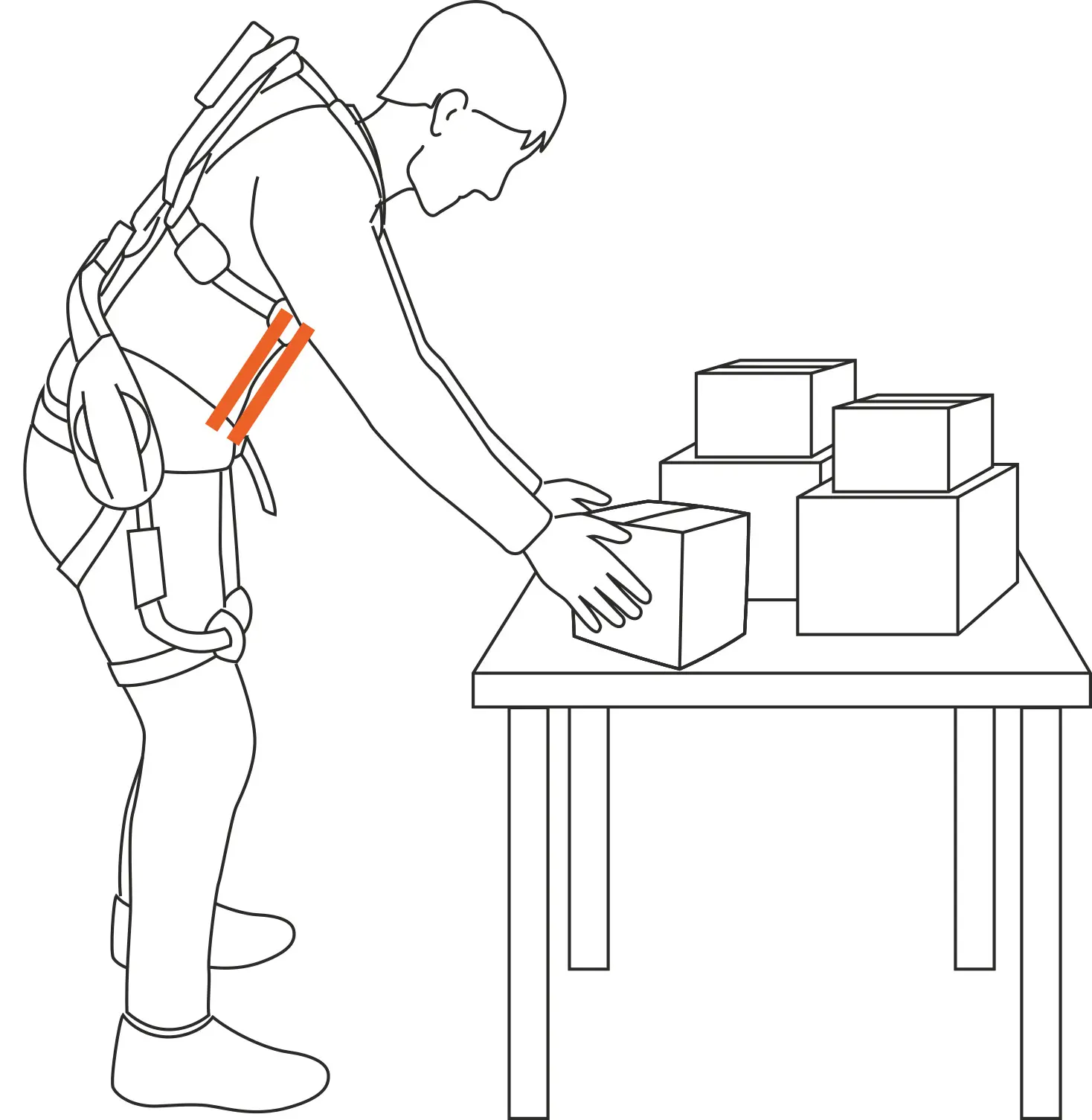
Preset D
Here's what the four presets can do:
Preset A - Support when standing up: Preset A allows the upper body to lean forward freely. Dynamic force assistance is provided when standing up. Ideal for lifting objects from low positions.
Preset B - Support in a forward-leaning position and when standing up: Preset B allows the upper body to lean forward freely. In the lower forward-leaning position, the upper body is supported and held. When standing up, dynamic force assistance is provided. Ideal for lifting objects from low positions when the upper body needs to be held in a low position at the same time.
Preset C - Support when leaning forward and standing up: Preset C provides resistance during the forward leaning movement. Dynamic force assistance is provided when standing up. Ideal for repeatedly lifting and setting down objects from low positions.
Preset D - Support in static forward tilt: Preset D supports the upper body even with a slight forward tilt by providing static support. Ideal for longer work processes in a static forward tilt.
Further information
Click here for the B900 user manual and our blog:

Quick guide to commissioning the B900
Additional Resources
More about exoIQ

News
Find out more about the latest updates from exoIQ.
Press
Here you can get press material about us...

FAQ
Visit our FAQ page, where we collect all the information you need.

Contact
Do you have any questions about our exoskeletons? Please contact us!